AI Image Generator
Create Strong Visuals Faster with an AI Image Generator Made for Real-World Use
What You Can Do with This AI Image Generator
This AI image generator focuses on image quality, useful variation control, reference-based consistency, and targeted refinements that help you get better final results.
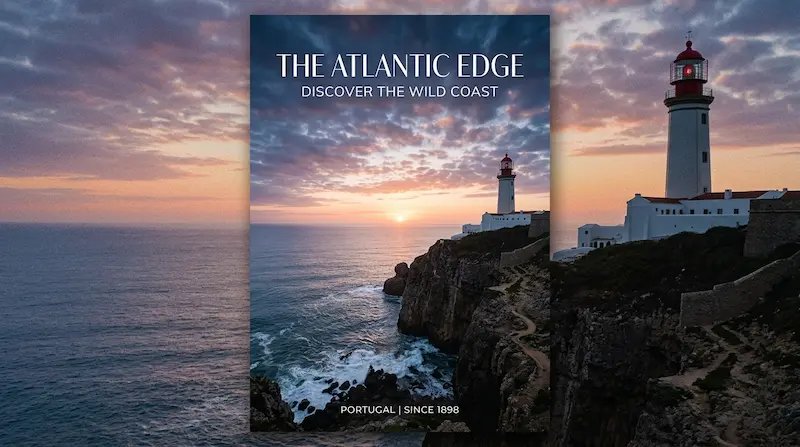
Generate Detailed Images from Text Prompts
Use this AI image generator to turn short written ideas into clear, detailed images. It is a practical text to image workflow for anyone who wants faster creative output without a complicated process.
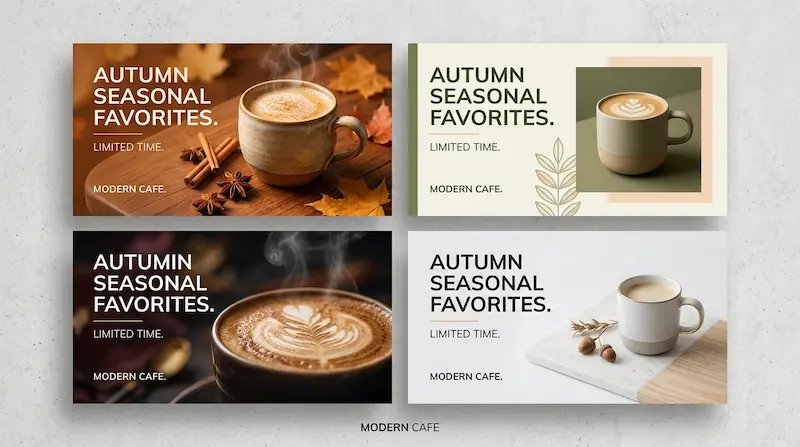
Explore Multiple Variations in One Run
A useful AI image generator should help you see more than one possibility. Create several coordinated outputs at once so you can compare style, composition, mood, and message fit before choosing a final direction.
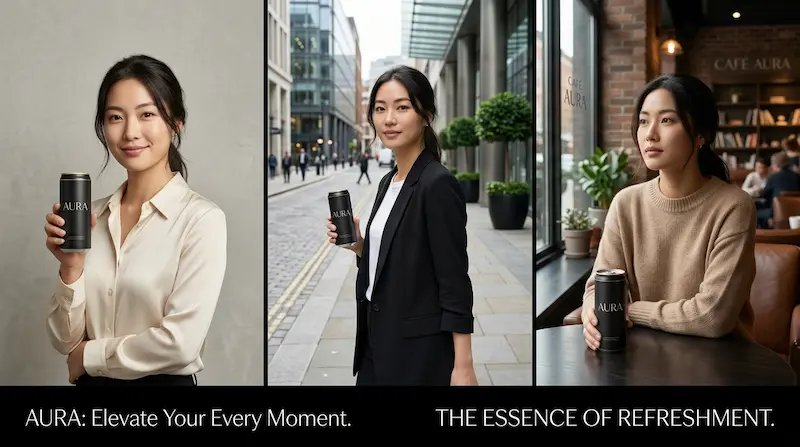
Keep Character and Product Consistency with Reference Images
Reference support helps this AI image generator keep the same subject identity across several outputs. That makes it easier to build campaign sets, product stories, and repeatable branded visuals.
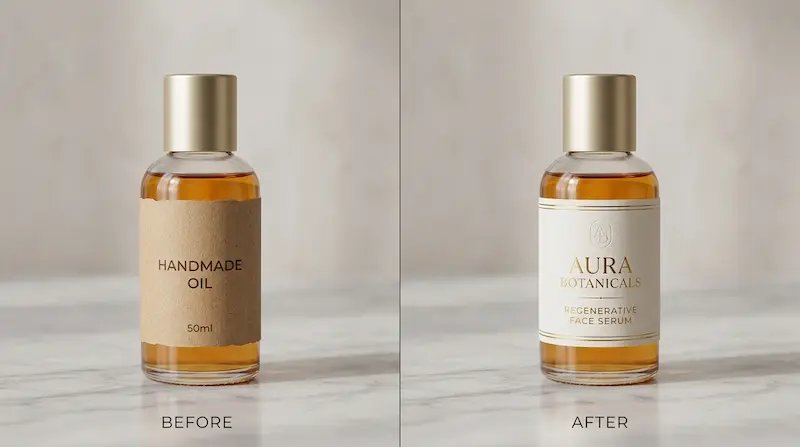
Refine Specific Areas Without Rebuilding the Whole Image
This AI image generator also supports focused changes. Improve a selected background, replace a distracting object, or clean up one region while preserving the overall composition you already like.
How to Use This AI Image Generator
This AI image generator is easy to use even if you are not a designer. Follow this short workflow to go from idea to publish-ready image with less trial and error.
Start with one specific prompt
Give the AI image generator a clear use case, visual direction, and style goal. For example, you can ask for a product hero image, a social media graphic, an ad creative, or a poster with clean text space.
Generate variations and choose the best base
Let the AI image generator create several options in one run. Compare them side by side, look at readability, balance, and overall impact, then keep the strongest version as your main image.
Apply optional local refinements and export
If one detail feels off, use the AI image generator to refine only that area. Change a background, improve an object, adjust a region, or clean up part of the layout while keeping the rest of the composition stable.
Why People Choose This AI Image Generator
- Turn Simple Ideas into Strong Visuals
- This AI image generator helps you move from a short prompt to a polished visual for content marketing, product storytelling, blog graphics, educational materials, and promotional campaigns.
- Explore More Creative Directions with Less Effort
- A strong AI image generator should not lock you into one result. By generating several options at once, you can compare different looks and choose the one that best fits your goal.
- Keep People, Products, and Brand Style Consistent
- If consistency matters, this AI image generator lets you work with reference images so outputs feel more connected across a campaign, product line, or content series.
- Refine Specific Details Without Starting Over
- When only one part needs improvement, this AI image generator lets you keep what already works and update only the selected area. That means faster editing and less wasted effort.
AI Image Generator FAQs
Quick answers about using an AI image generator for everyday creative work
What is an AI image generator?
An AI image generator is a tool that turns written prompts into images. Many people use an AI image generator to create social graphics, product visuals, posters, blog images, ad creatives, and other digital content without starting from a blank canvas.
How is this AI image generator different from basic one-shot tools?
This AI image generator is designed for a fuller workflow. You can generate multiple options, compare visual directions, use reference images for consistency, and make focused refinements instead of restarting every time.
Do I need design experience to use this AI image generator?
No. This AI image generator is built for ordinary internet users, creators, marketers, founders, teachers, and small business owners. Most people can start with a simple prompt and get useful results quickly.
What can I create with this AI image generator?
You can use this AI image generator for social media images, product mockups, posters, landing page visuals, blog graphics, campaign assets, thumbnails, branded images, and other prompt to image tasks.
Can this AI image generator create multiple versions from one idea?
Yes. One of the main strengths of an AI image generator is variation generation. You can create several related outputs from one prompt and choose the version that best fits your audience, platform, or message.
Can I keep one person or product consistent across outputs?
Yes. Add a reference image and the AI image generator can better maintain identity, style, and tone across a full image set. This is helpful for product campaigns, character consistency, and brand-focused content.
Can I use an AI image generator for business content?
Many users rely on an AI image generator for marketing visuals, product promotions, online store images, educational graphics, and branded content. Check your current plan and terms for usage details.
Do I need to rebuild the whole image for small changes?
No. A flexible AI image generator should let you improve only the area that needs attention. That means you can keep the composition you like while refining a background, object, or local detail.
Start with an AI Image Generator That Helps You Create Faster
Use this AI image generator to turn prompts into polished visuals, compare better options, and publish with more confidence across social, product, and marketing content.
No credit card required