
Seedance 1.5 Pro
Turn text prompts and images into cinematic videos with Seedance 1.5 Pro
What You Can Do with Seedance 1.5 Pro
Seedance 1.5 Pro helps you move from concept to usable clip with less friction, better visual direction, and a workflow that feels easier to control.
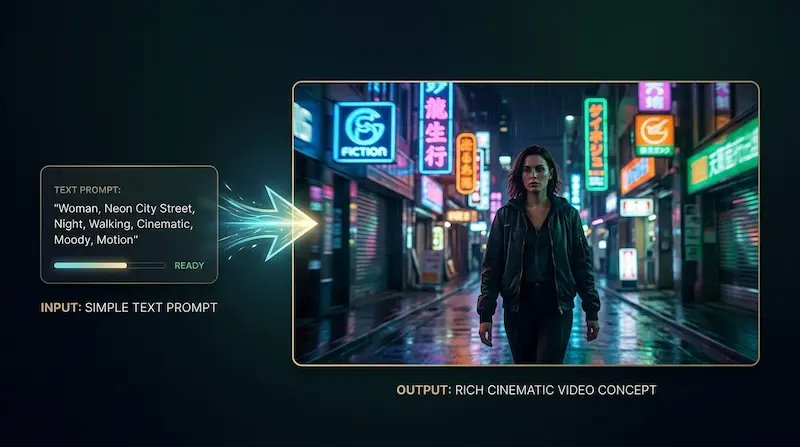
Turn a Written Idea into a Video Draft Faster
Use Seedance 1.5 Pro to turn text prompts into video drafts without waiting on a full production process. It is a practical way to test scenes, moods, and creative directions while your idea is still fresh.
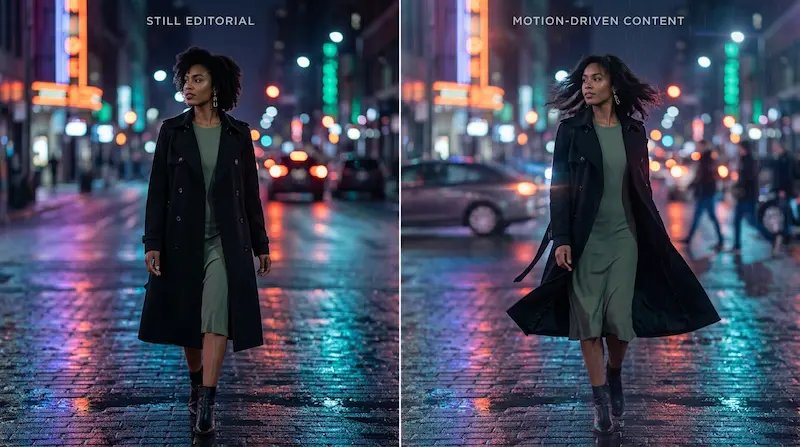
Bring a Still Image to Life
Seedance 1.5 Pro helps you start from a single image and turn it into motion-based content that feels more dynamic and more ready to share. This is especially useful when you already have strong visuals and want to get more value from them.
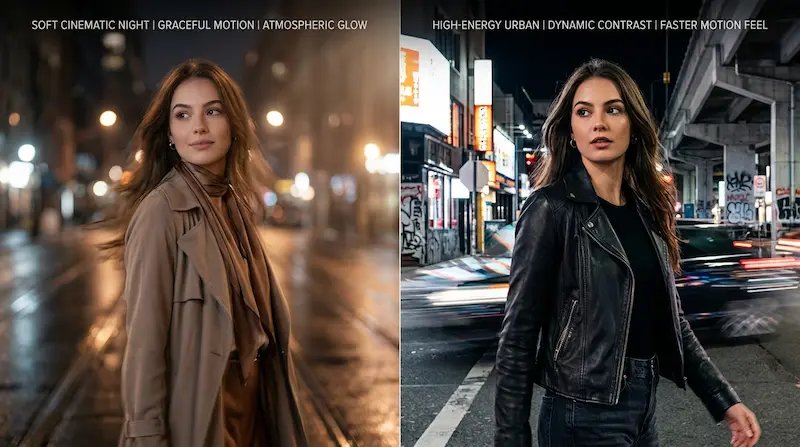
Guide Motion, Mood, and Style More Clearly
A good Seedance 1.5 Pro workflow makes it easier to describe not just what appears in the frame, but how the video should feel. That helps you shape the atmosphere and direction in a way that feels more intentional and more usable.
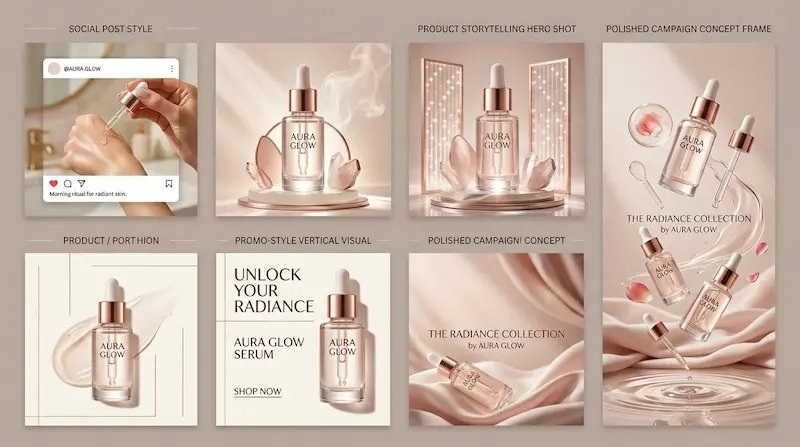
Create Stronger Drafts for Real Content Work
Seedance 1.5 Pro helps you generate videos for social posts, product storytelling, campaign concepts, and creative mockups that need to look polished without adding extra complexity to the process.
How to Use Seedance 1.5 Pro
Seedance 1.5 Pro is easy to use even if you are not a video expert. Follow this simple flow to create better video drafts with less friction and less wasted time.
Choose how you want to begin
Start with a written idea or upload an image that captures the subject, style, or composition you want. Seedance 1.5 Pro works best when you give it a clear direction from the start.
Describe the clip you want
Write a prompt that explains the scene, motion, camera feel, mood, or visual style. You can keep it short for a quick draft or add detail when you want tighter control.
Refine and use your result
If the first output is close but not quite right, update the prompt and try again. Seedance 1.5 Pro helps you improve results step by step until you have a clip worth sharing, testing, or building into something bigger.
Why People Choose Seedance 1.5 Pro
- Go from Idea to Video Sooner
- Seedance 1.5 Pro helps you create a solid first draft without piecing together a long production workflow. That means you can test concepts faster, keep momentum, and make decisions while the idea is still fresh.
- Get Stronger Results from Clear Prompts
- You do not need to sound technical to get started. Seedance 1.5 Pro makes it easier to turn plain-language ideas into videos you can review, refine, and use for real content work.
- Make Video for Real-World Use Cases
- Use Seedance 1.5 Pro for social clips, promo visuals, product storytelling, creative mockups, mood videos, and campaign concepts that need to look polished without slowing your team down.
- Spend Less Time on Trial and Error
- When a result is close but not ready yet, Seedance 1.5 Pro gives you a practical way to improve it without starting over. That saves time, reduces frustration, and makes the whole process feel more manageable.
Seedance 1.5 Pro FAQs
Quick answers about using Seedance 1.5 Pro for text-to-video and image-to-video creation
What is Seedance 1.5 Pro?
Seedance 1.5 Pro is a video generation model from ByteDance that helps users create short videos from text prompts and images. People use Seedance 1.5 Pro when they want a faster way to turn ideas into video drafts.
What can I make with Seedance 1.5 Pro?
You can use Seedance 1.5 Pro for social videos, ad concepts, product visuals, mood clips, creative storytelling, and other short-form content that starts from a prompt or reference image.
Can I use Seedance 1.5 Pro for text to video?
Yes. Seedance 1.5 Pro can generate video from a written prompt, which makes it useful when you want to describe a scene and quickly turn it into a visual draft.
Can I use Seedance 1.5 Pro for image to video?
Yes. Seedance 1.5 Pro can also work from an image input, which is helpful when you want the output to follow a specific subject, composition, or visual direction more closely.
Do I need video editing experience to use Seedance 1.5 Pro?
No. Seedance 1.5 Pro is approachable for regular users, creators, marketers, founders, and small teams who want a simpler way to make video without a steep learning curve.
Is Seedance 1.5 Pro good for marketing content?
Yes. Many people use Seedance 1.5 Pro for ad ideas, short promos, landing page visuals, and social content because it helps them move faster from concept to a presentable video draft.
Why use Seedance 1.5 Pro instead of making videos manually?
For early concepts, short-form content, and fast creative testing, Seedance 1.5 Pro can save time, cut repetitive work, and help you reach a usable result faster than building every draft by hand.
Can I refine results if the first video is not quite right?
Yes. A common workflow with Seedance 1.5 Pro is to generate a first version, review it, then adjust the prompt or input image to move the result closer to what you want.
Start Creating with Seedance 1.5 Pro
Use Seedance 1.5 Pro to turn text prompts and images into cinematic video drafts for social content, product storytelling, ad concepts, and creative campaigns.
No credit card required