
AI Text To Video
Create Stunning Videos from Simple Text Prompts
What AI Text To Video Helps You Do
Practical benefits that make video creation faster, easier, and more enjoyable.
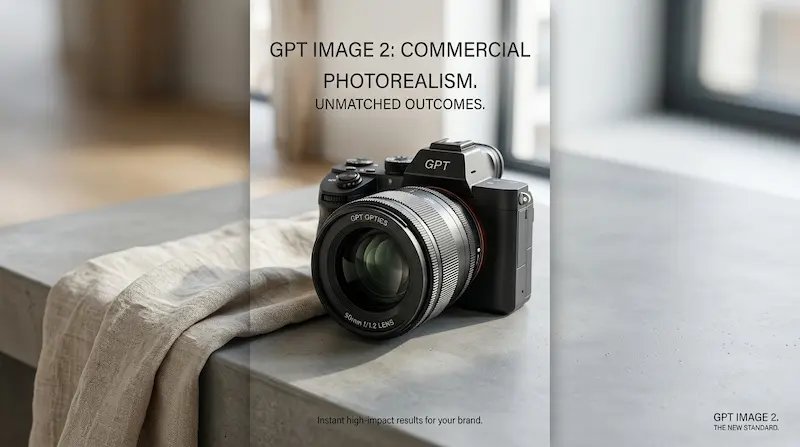
Create Videos from Simple Descriptions
Turn short text prompts into compelling videos without complicated tools, making creative work feel more accessible and much easier to start.
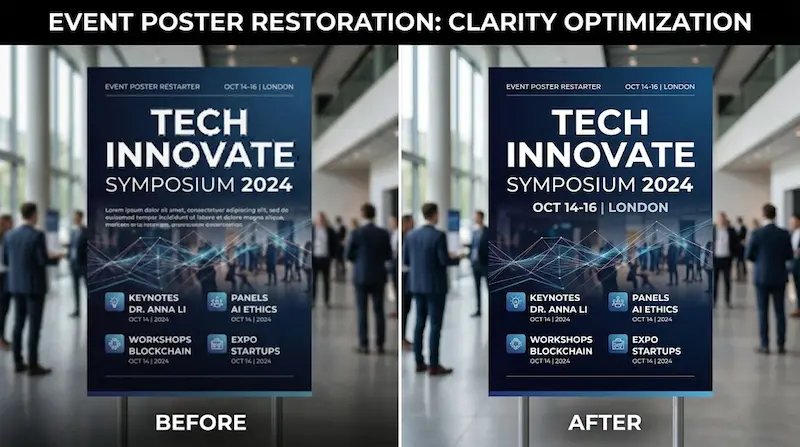
Explore Different Video Styles Quickly
Try cinematic, realistic, artistic, commercial, or social-first styles in minutes, helping you find the right creative direction faster.

Make Content Faster for Real Use
Create videos for ads, social media, landing pages, presentations, and campaigns without waiting on long editing or production workflows.

Bring More Ideas to Life
Experiment freely, test story concepts quickly, and turn rough ideas into videos you can refine, share, or build on right away.
How to Use AI Text To Video
From idea to finished video, the process is quick, simple, and beginner-friendly.
Start with a simple prompt
Describe what you want to see in natural language, whether it's cinematic, realistic, playful, dramatic, or highly styled.
Add details that shape the scene
Mention the subject, setting, lighting, movement, mood, or camera angle to help AI Text To Video better match your vision.
Generate, refine, and export
Pick the video you like most, make adjustments if needed, and use it for content, campaigns, presentations, or creative work.
Why People Use AI Text To Video
- Turn Ideas into Videos Fast
- Skip complex editing workflows and quickly create videos from a simple idea, whether for business, content, or personal projects.
- Explore More Creative Directions
- Try different styles, scenes, and visual moods in minutes, making it easier to discover stronger creative ideas faster.
- Create Videos Without Editing Skills
- Make polished videos for posts, ads, product showcases, and storytelling without needing advanced editing software or production experience.
- Save Time on Video Creation
- Spend less time planning shoots or editing clips manually, and more time publishing content that moves your ideas forward.
AI Text To Video FAQs
Quick answers to help you get started
What is AI Text To Video?
AI Text To Video is a tool that turns written prompts into videos. You describe your idea, and it generates video content based on what you want to create.
Who is AI Text To Video for?
It is useful for creators, marketers, founders, educators, teams, and anyone who wants to make video content faster without a traditional production workflow.
What kinds of videos can I create?
You can create product videos, short ads, social clips, concept scenes, storytelling visuals, branded content, and many other creative video formats.
Do I need video editing experience?
No. AI Text To Video is beginner-friendly and works well with simple prompts, making video creation easier for everyday users.
Can I create realistic videos?
Yes. AI Text To Video can generate realistic-looking scenes, cinematic visuals, lifestyle clips, and polished creative videos from text prompts.
Can I try different styles?
Yes. You can explore cinematic, realistic, artistic, commercial, minimal, and many other creative directions depending on your prompt.
Is AI Text To Video useful for business content?
Yes. Many users create marketing videos, product showcases, ad creatives, branded content, and social campaigns using AI Text To Video.
Can I use generated videos commercially?
Usage depends on your plan and platform terms, but AI Text To Video is commonly used for business, content creation, and commercial creative work.
Start Creating with AI Text To Video
Turn simple words into videos that feel polished, engaging, and ready to use for content, campaigns, storytelling, and ideas worth sharing.
No credit card required